EVM Swap
About
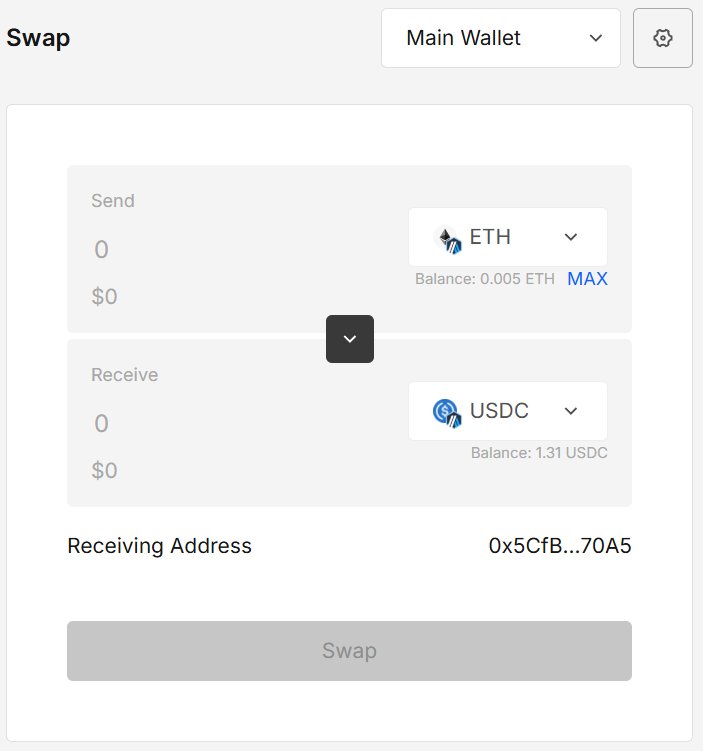
EVM Swap lets you execute cross-chain swaps between supported EVM networks in one streamlined flow.
Choose the wallet & account, set slippage and transaction speed, pick from/to chain and token, then approve (if required) and sign directly or export the transaction for offline signing.
Quotes, routing, and settlement data are powered by the Velora (formerly ParaSwap).
Availability of chains/tokens/routes depends on Velora’s coverage at the time of the request.
Key features
- Cross-chain routing across supported EVM networks (via Velora/ParaSwap)
- Wallet/account selector
- Adjustable Slippage (0.1%, 0.5%, 1%, Custom) & Speed (Normal/Fast/Instant)
- Token & chain pickers with search; tokens are sorted by balance
- Sign now or Export for offline signing (JSON/QR), then submit later
How to use
1. Open EVM Swap & choose a wallet/account
When the extension opens, your default wallet and account are selected.
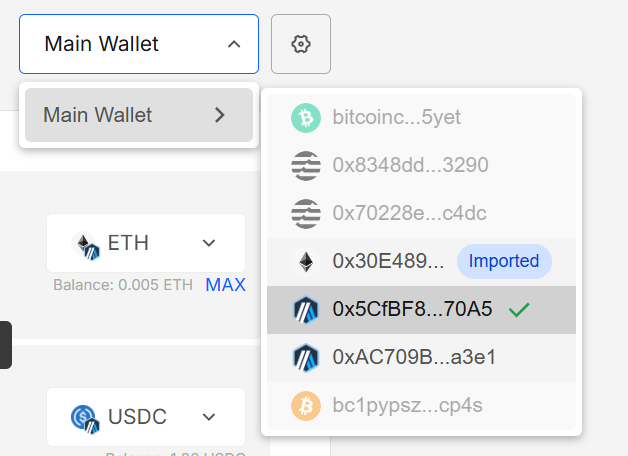
Use the wallet selector to switch: hover a wallet to see its accounts; non-EVM accounts are disabled and Imported accounts are marked.
2. Configure settings (optional)
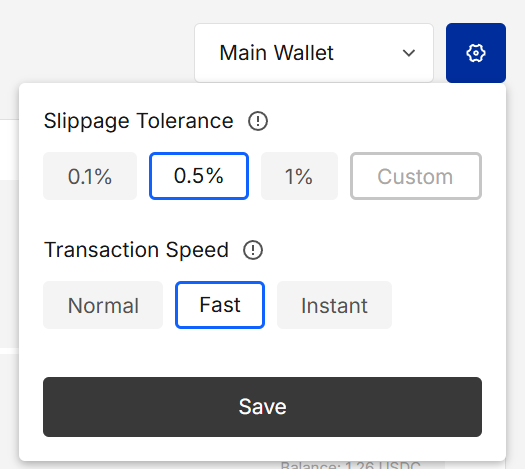
Click the gear to set Slippage tolerance and Transaction speed.
Save to apply. Default values are 0.5% for the slippage and Fast for the transaction speed.
3. Pick chains & tokens
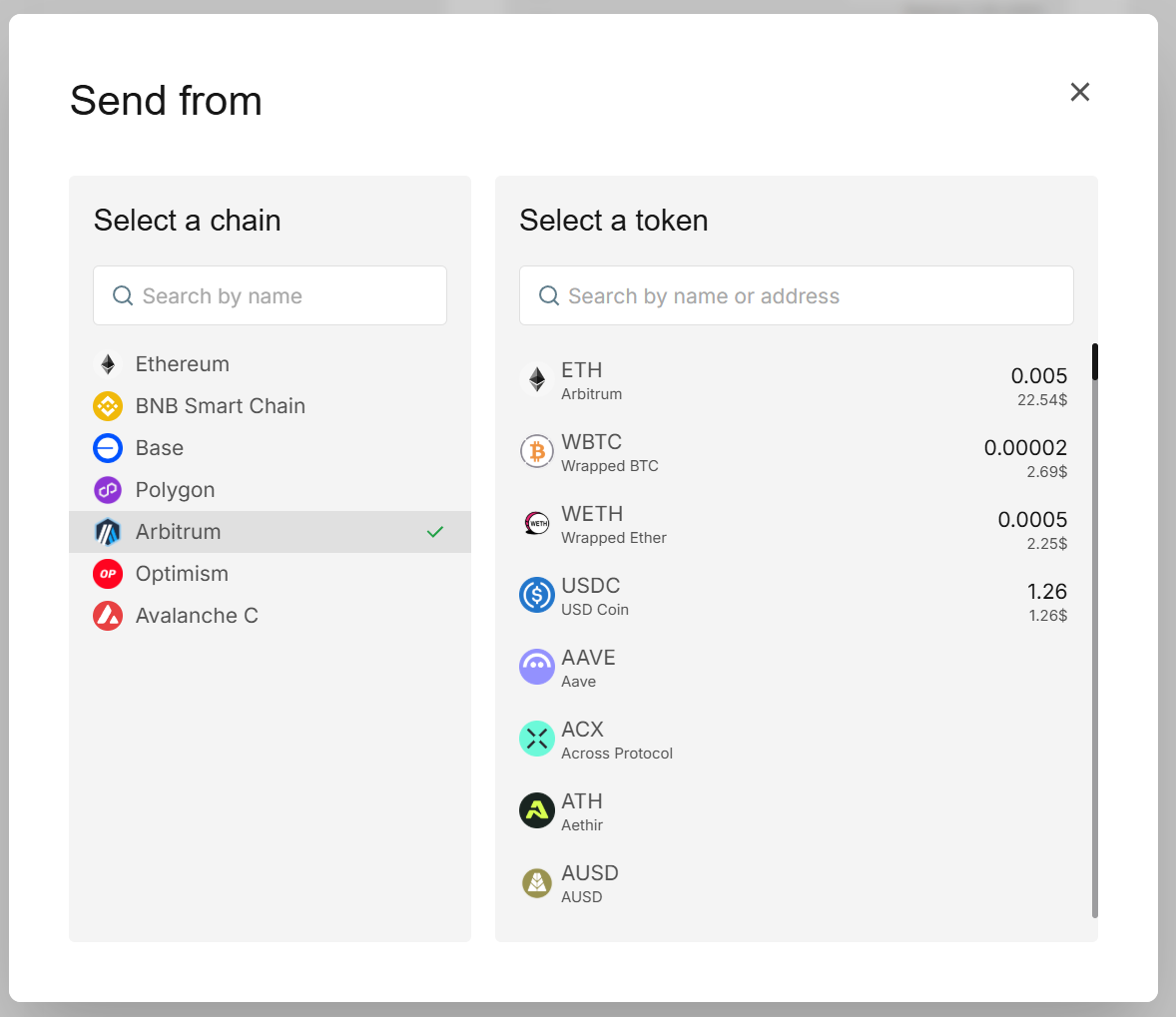
Click the From and To token areas to open the modal.
Choose the source chain and token, then the destination chain and token.
You can search both chains and tokens; the token list is sorted by balance.
4. Enter amount & review
Enter the amount to send. When balances/quotes allow, the Swap button becomes enabled.
If an approval is required, you’ll be prompted before the swap.
5. Sign or export
Click Swap to open the Sign modal.
- Sign — confirm and sign in-app.
- Export — export the unsigned payload for an offline workflow (JSON/QR), then import the signed file to broadcast.
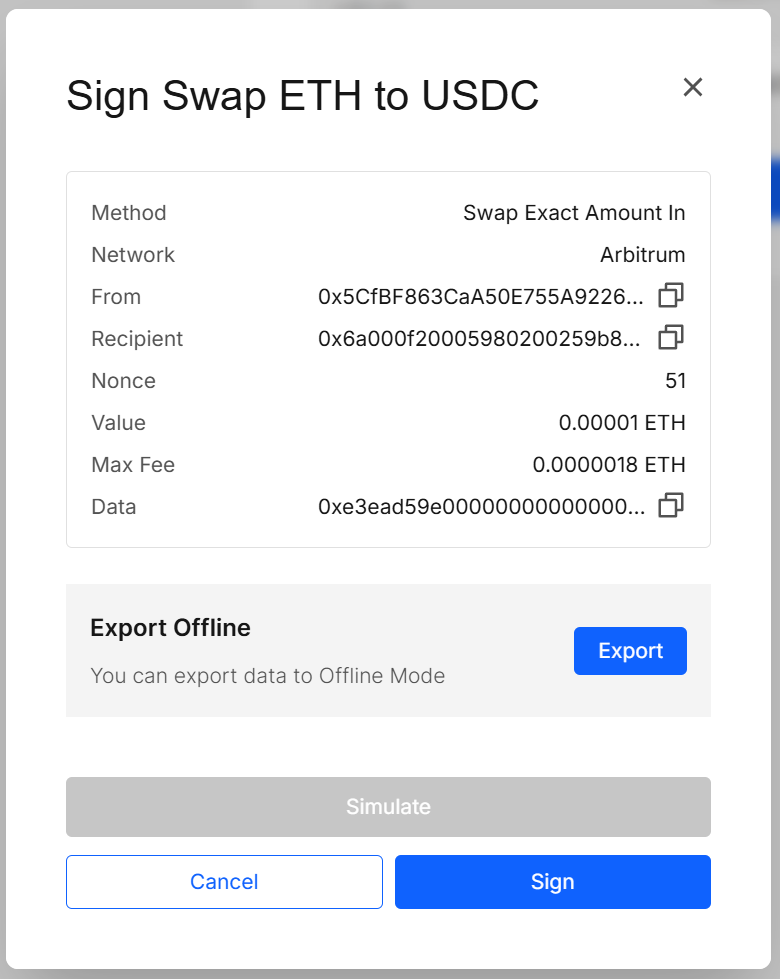
If you export for offline signing, follow the same pattern as Sign Transaction:
export → sign in the offline app → bring the signed file/QR back → submit.
See the Sign Transaction page for details.
Results explained
- Successful swap — Transaction submitted on the source chain (and any bridging steps when cross-chain) and the success message is shown.
- Pending/queued — If you exported for offline signing, the upload form will be shown and the transaction is added to notifications; return later to scan/upload the signed file.
Validation & tips
- Slippage: Tight slippage may cause reverts in volatile markets; widen only as needed.
- Approvals: ERC-20 swaps often require a prior approve; you’ll be prompted.
Security & privacy
- Quotes/routing and market data are fetched via Velora/ParaSwap; only public data (addresses, amounts, quotes) is sent for those lookups.
- Sensitive prompts (password entry) use the signer’s separate-origin iframe; mnemonics/private keys never leave the signer surface.
FAQ
Who provides the quotes and routes?
The extension integrates the Velora (ParaSwap) for aggregation and routing.
Why is the Swap button disabled?
Check that you’ve selected valid from/to chains & tokens, entered an amount, and have enough balance & gas. Routes may be unavailable for the chosen pair/amount.
Why can’t I pick a certain account?
Only EVM accounts can be used. Non-EVM entries appear disabled in the selector.
Where did “Approve” come from?
ERC-20 tokens need an allowance set for the router/bridge. The app guides you through that once per token (or until you reset allowances).
Can I do everything offline?
You can export, sign offline, then import the signed transaction to broadcast from the online app.
What is “slippage tolerance”?
Slippage tolerance is the maximum % price movement you’re willing to accept between the quote and the actual execution.
- Example: if you expect 100 USDC with 0.5% slippage, the trade will revert if you’d receive < 99.5 USDC.
- Setting it too low → more reverts during volatile markets or low liquidity.
- Setting it too high → your trade can execute at a worse price than expected and is more exposed to price impact/MEV.
Typical ranges:
- Stable, liquid pairs:
0.1–0.5% - Volatile/illiquid or cross-chain routes:
0.5–1.0%+(only as needed)
Slippage is not a fee. It’s a safeguard that defines the worst acceptable execution before the app cancels the swap.
Developer Info
- Built and maintained by the EXTRA WALLET team.
- Source: EXTRA WALLET
- Integration: Velora (ParaSwap) for quotes/routing/settlement data.