Wallet Expander
About
Wallet Expander lets you derive addresses by range for each supported chain and then add or remove the corresponding accounts from your wallet. It’s available in both the online and offline wallets. In the offline wallet, completing changes also triggers an Export so you can import a watch-only version of that wallet into the online wallet.
Key features
- Per-chain derivation with range preview
- Advanced settings per chain (paths, derivation type, scheme, account label, etc.)
- Add or remove derived accounts with one confirmation
- Password requested on demand (never stored in memory)
- Export (QR/JSON) of public data only; no secrets
- Import Offline Wallet into the online wallet in one step
How to use
1. Open the tool
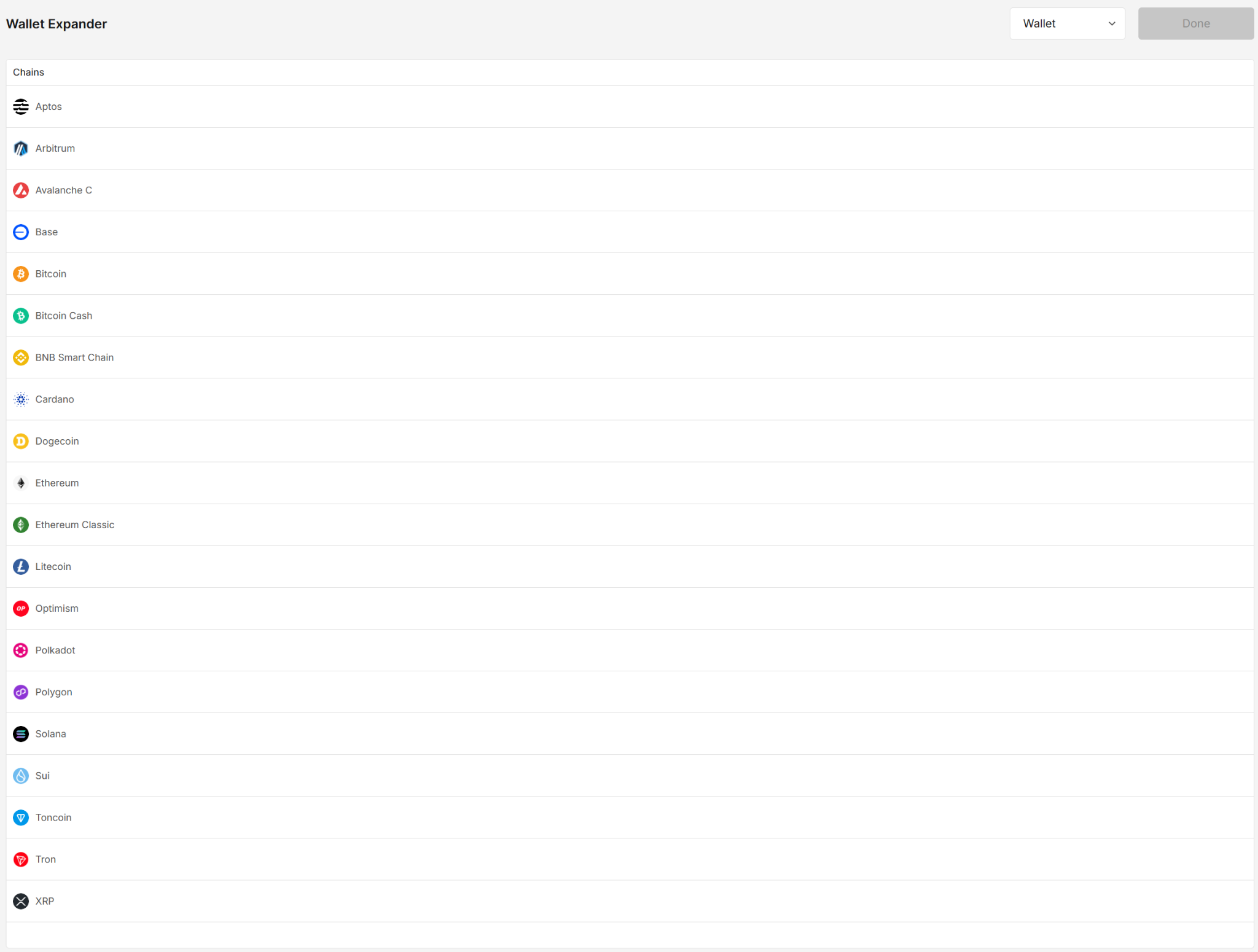
Open Wallet Expander. You’ll see the list of supported chains.
Choose the target wallet from the Wallet selector at the top to derive its accounts. The list includes every wallet in your portfolio (e.g., Aptos Wallet, EVM Wallet).
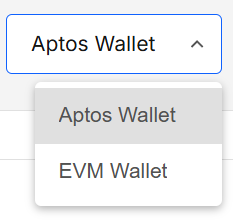
- Scope: Previews and add/remove actions apply to the selected wallet only.
- Default: The first wallet in your portfolio.
- Switching: Changing the selected wallet refreshes the list for that wallet and clears any pending selections.
2. Pick a chain & confirm
Click a chain (e.g., Cardano, Aptos, Bitcoin, EVM chains, etc.).
Enter your portfolio password to unlock derivation for that chain.
3. Browse the derived range
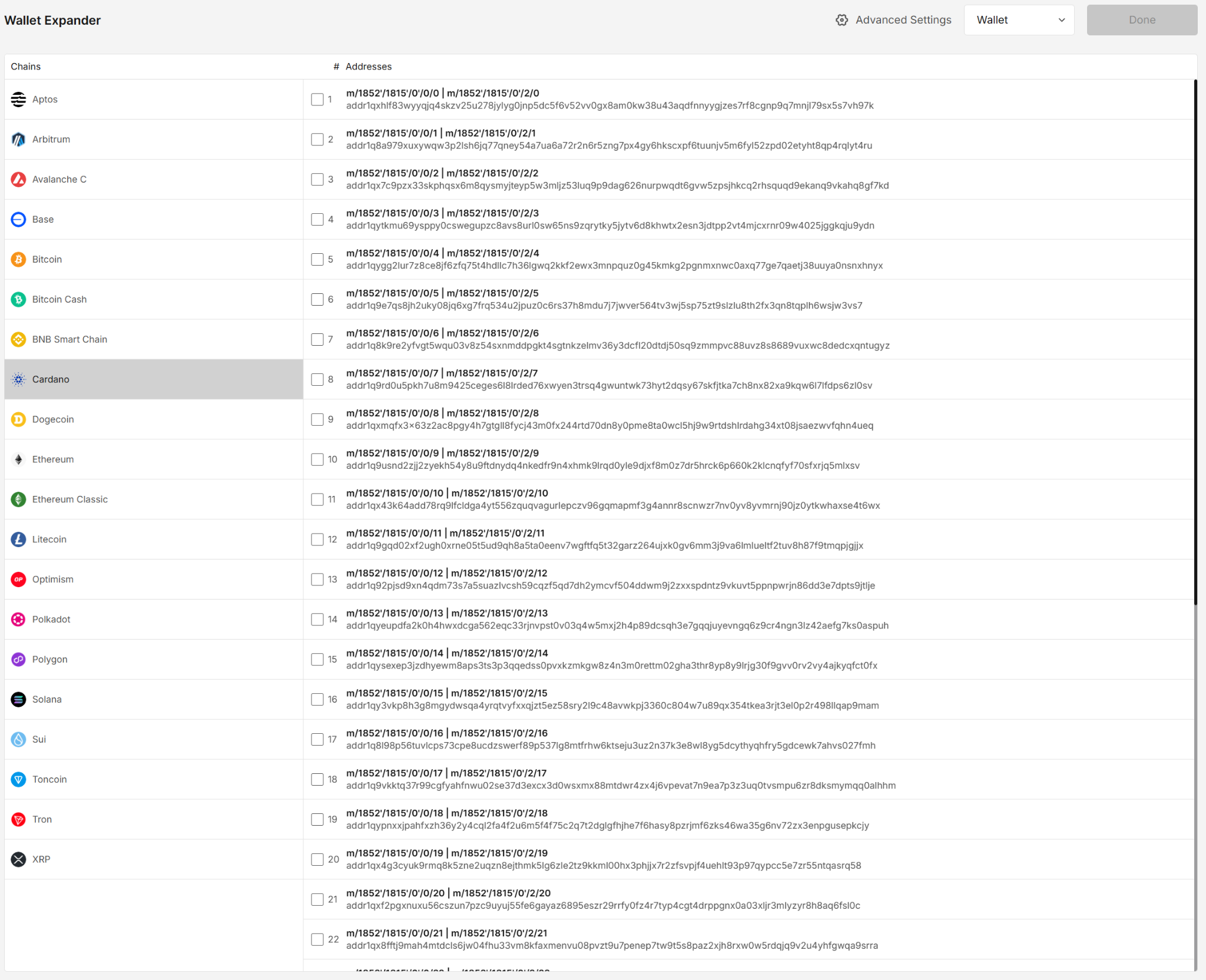
A default address range is generated. For each row you’ll see:
- # (derivation index and HD path)
- Addresses
You’ll also see Advanced Settings in the header.
Password prompts
Addresses are derived in batches. When you reach the end of a batch, you’ll be asked for your password again to load the next set.
4. (Optional) Configure Advanced settings
Click Advanced Settings to customize the chain’s derivation behavior.
For most workflows you don’t need to change derivation specific fields. Adjust only if you know why (e.g., matching a path from another wallet, migrating accounts, testing a specific scheme/provider).
Fields vary by chain; example for Cardano:
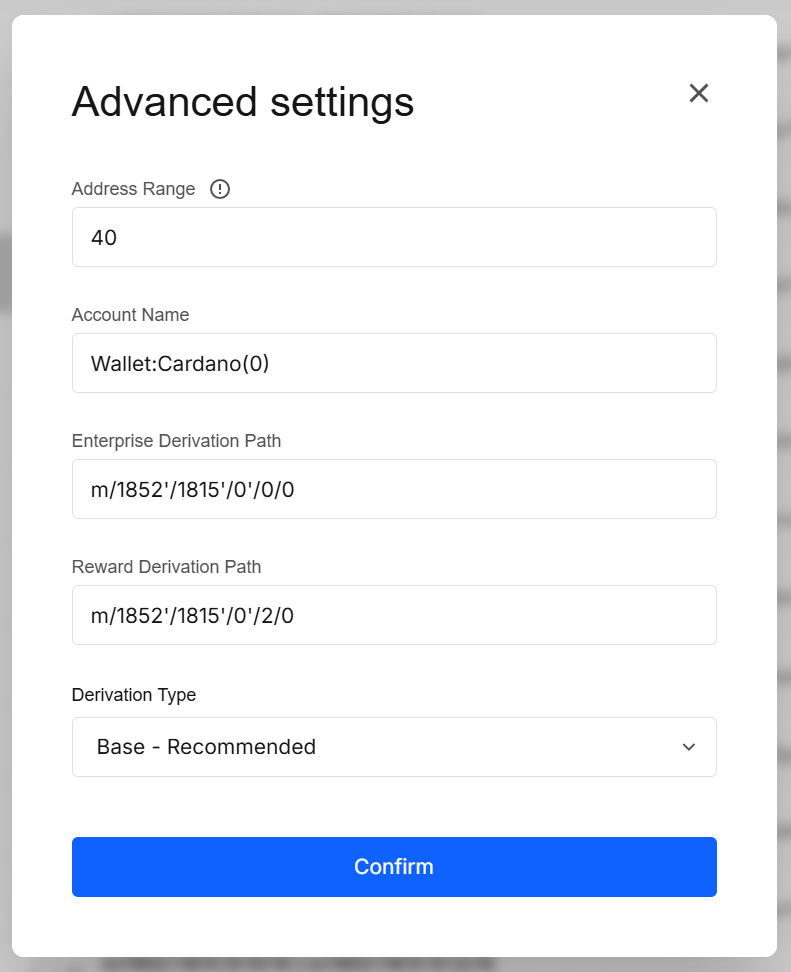
Typical options include:
- Address Range (how many to preview per batch)
- Account Name / Label
- Chain-specific derivation paths (e.g., Enterprise, Reward, Account paths)
- Derivation Type / Scheme (e.g.,
ed25519,secp256k1,Legacy,Base – Recommended)
If you provide a custom derivation path, the range view is disabled and only the single address for that exact path is shown.
5. Select & apply
Tick the checkboxes for the accounts you want to add (or untick to remove).
The Done/Export button becomes enabled.
- Online wallet: click Done → confirm with your password → selected accounts are added/removed from the wallet.
- Offline wallet: click Export → confirm with your password → selected accounts are added/removed from the wallet and an Export modal is shown.
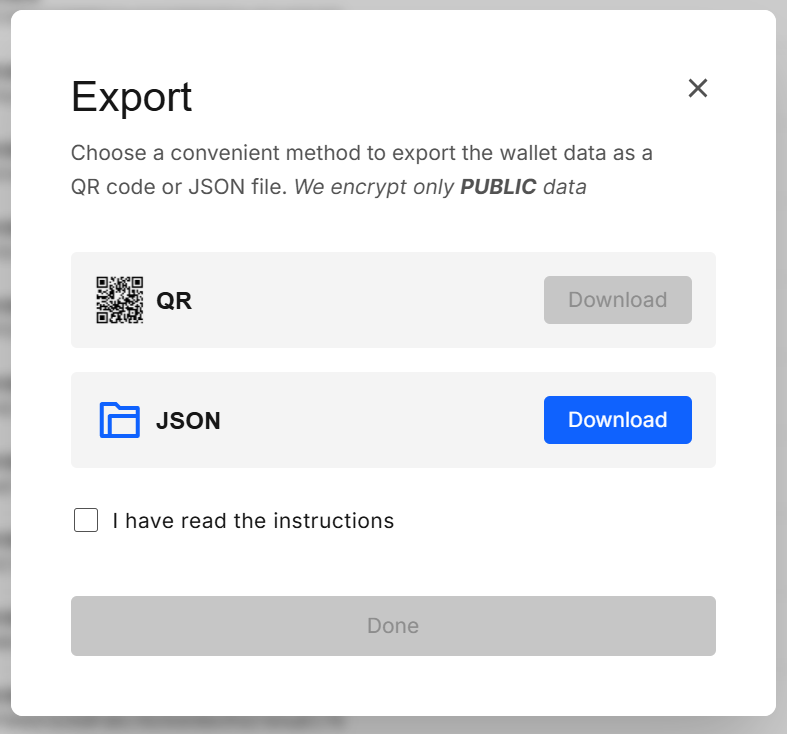
The exported bundle contains only public data (addresses, public keys, labels, paths and other watch-only data). No secrets are included.
Double-check the Wallet dropdown before clicking Done/Export to avoid adding/removing accounts from the wrong wallet.
6. Import the offline bundle (online app)
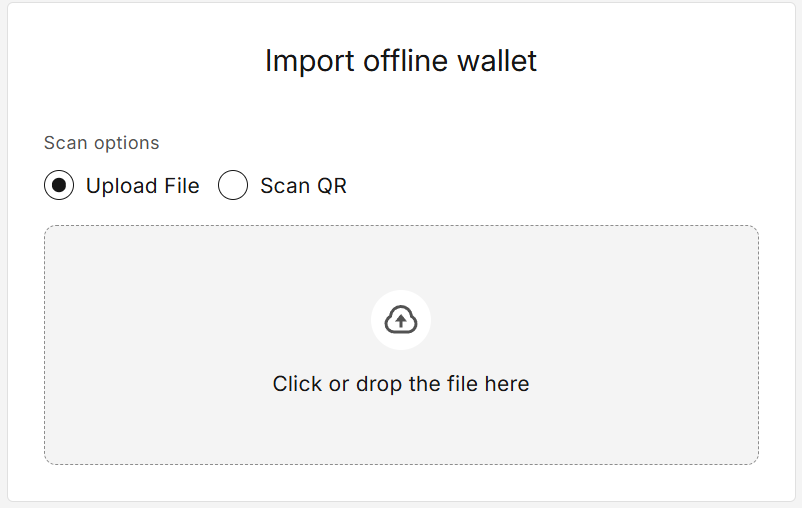
In the online wallet, click Import Offline Wallet in the left sidebar, then upload the QR/JSON you exported.
Confirm with your password and you’ll be redirected to the imported wallet page.
Results
| Action | Outcome |
|---|---|
| Select chain | Preview derived addresses with paths; optionally refine via Advanced settings |
| Done (online) | Adds/removes accounts from the chosen wallet after a password confirmation |
| Export (offline) | Adds/removes accounts from the chosen wallet after a password confirmation and shows Export modal |
| Import Offline Wallet (online) | Creates a wallet from the exported watch-only data and redirects to the wallet page |
Validation & tips
- Password on demand: you’ll be asked when needed (unlock, next range, add). That’s by design.
- Address range: keep ranges reasonable for performance; you can derive more by scrolling.
- Custom path: shows a single address — perfect for exact HD paths or non-standard schemes.
- Removal: unchecking a derived account and clicking Done/Export removes it from the wallet (after confirmation).
Security & privacy
- Derivation previews and account changes happen locally only after you confirm with a password; no data leaves your device.
- In the offline build, the export contains public data only — safe to move via QR/USB.
- Signer isolation: Sensitive prompts (password entry) are rendered in the signer’s separate-origin iframe for DOM isolation.
FAQ
Does this reveal my seed phrase or private keys?
No. It shows derived public addresses. Password prompts unlock secrets but they never leave the signer.
Why am I asked for my password again when I scroll?
We derive addresses in batches and never keep your password in memory, so each new batch requires a fresh unlock.
I exported wallet from offline — can I spend funds with that file?
No. The export is watch-only (public data). To sign, use the offline Sign Transaction flow.
Can I use different derivation settings for different chains?
Yes — settings are per chain.
What’s the difference between addresses and accounts?
An address is a part of an account and related to one derivation index/path. When you add an account, we store the HD path, keys (encrypted), and metadata backing that address in your wallet; the private key never leaves the signer.
What is “derivation”?
Derivation is the deterministic process HD wallets use to turn a single mnemonic into many accounts/addresses. From the mnemonic we derive a master key, then a tree of child keys along a path:
m / purpose' / coin_type' / account' / change / index (BIP-44 style)
- The index is what Wallet Expander increments to preview a range of addresses.
- Different schemes / derivation types (e.g.,
secp256k1vsed25519, or Cardano Legacy vs Base) produce different addresses from the same mnemonic.
Common examples
- Ethereum (EVM):
m/44'/60'/0'/0/0(secp256k1) - Bitcoin (Native Segwit):
m/84'/0'/0'/0/0(secp256k1) - Cardano (Base):
m/1852'/1815'/0'/0/0(ed25519)
Changing the path/scheme doesn’t move funds — it simply derives a different branch. To recover an address you must use the same mnemonic + path + scheme used when it was created.
Developer Info
- Built and maintained by the EXTRA WALLET team.
- Source: EXTRA WALLET