Address Checker
About
Address Checker evaluates an address and returns an overall risk level with expandable details.
It aggregates results from third-party intelligence sources and explorers to help you spot sanctioned, hacked, scammy, or otherwise risky addresses before you send.
This tool lives inside the wallet and covers more chains than the mini-app (e.g., Ethereum, Optimism, Sui, Solana, …).
Key features
- Multi-chain: pick a chain (Ethereum, Optimism, BSC, Polygon, Base, Arbitrum, and more)
- Risk roll-up → Low / Medium / High with category details
- Expandable summaries (High/Medium/Warning/Not found/Informational)
- First transaction shown for contracts (creation time)
- No wallet connection or signing required
How to use
1. Open Address Checker.
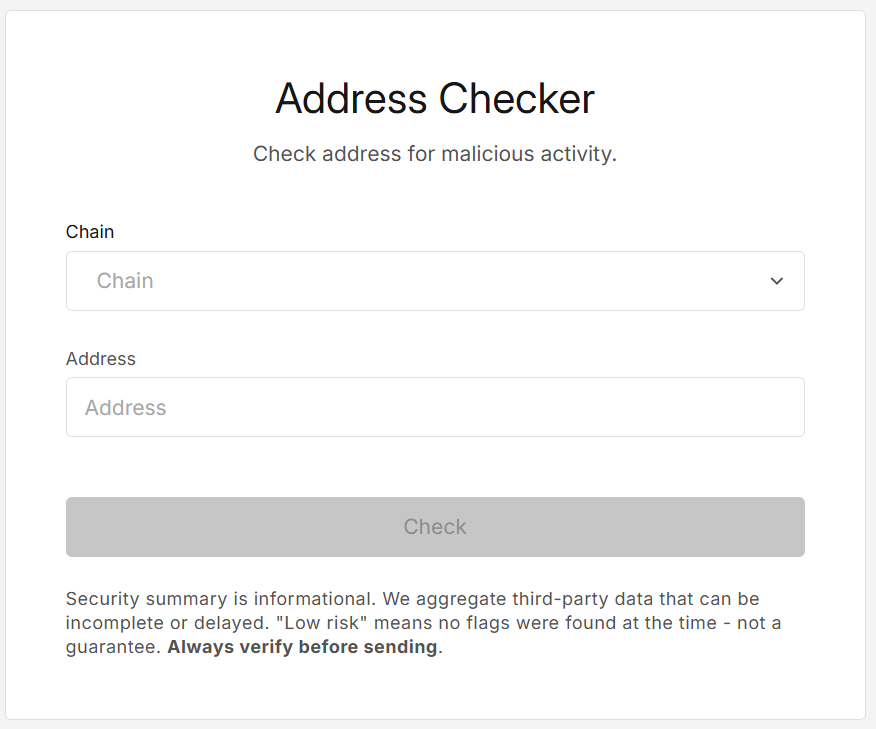
You’ll see a simple form:
2. Fill the form.
- Select the available Chain from the dropdown list.
- Paste the address and press Enter (or click Check). The address must be valid for the selected chain.
3. Click "Check".
You’ll see:
- First transaction (for contracts)
- Overall risk level (Low / Medium / High)
- Expandable sections with the evidence and flags
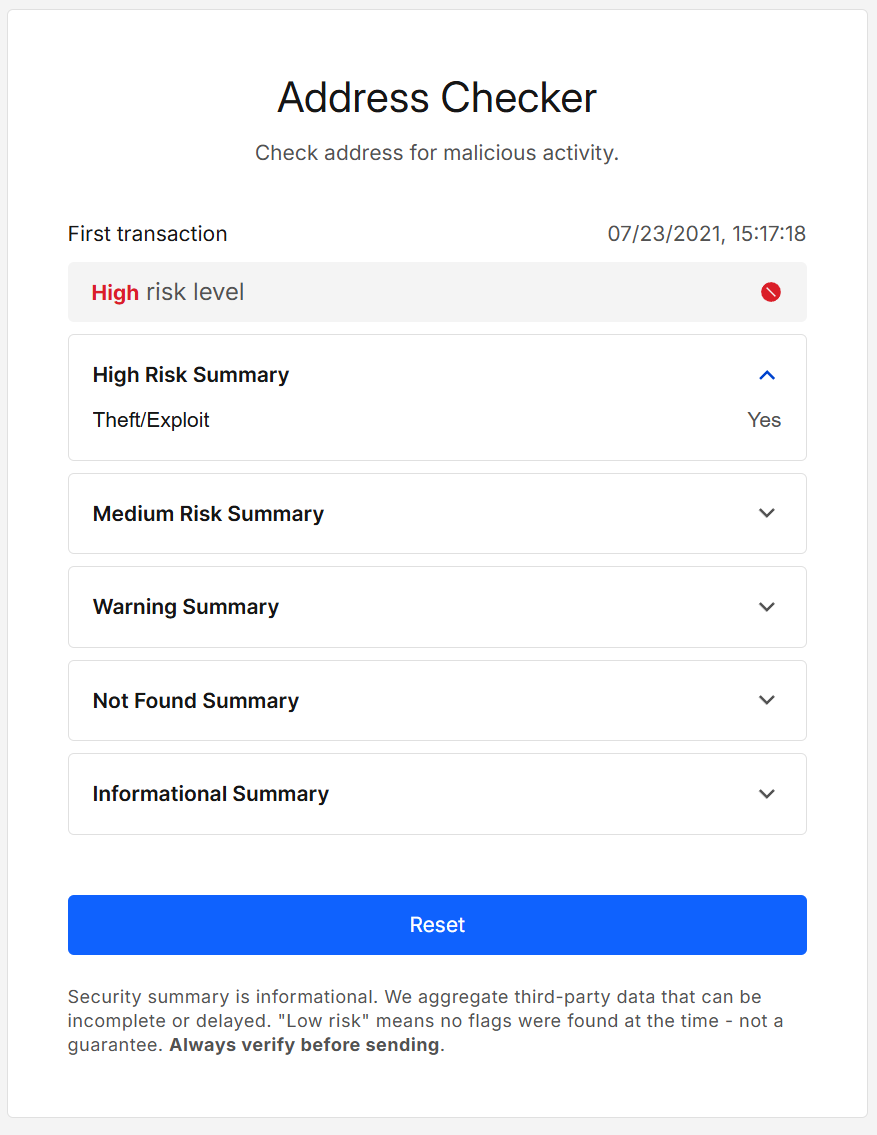
Click Reset to run another check.
Results explained
Overall risk level (roll-up)
- High risk
- Any high-risk flag present, or
- Multiple medium-risk flags
- Medium risk
- At least one medium-risk flag, or
- Low analysis coverage (many categories unknown where medium/high risk would matter)
- Low risk
- No high/medium flags and sufficient coverage at the time of check
Sections you’ll see
| Section | What it shows |
|---|---|
| First transaction | Timestamp of the contracts deployment transaction. |
| High/Medium | Flags grouped by severity (e.g., sanctions, exploit/theft, phishing, mixers, dark-web, scam contracts, gas abuse). |
| Warning | Potentially malicious signals, often the signals listed here are used by legitimate addresses. |
| Not Found | Signals we looked for but didn’t find (helpful for coverage context). |
| Informational | A long list of informational details (e.g., total token supply, holder count, phishing (if not true), etc.). |
Exact flags vary by chain. Values reflect the moment of your query.
- “Low” ≠ safe. It only means no tracked red flags were found for that chain at the time of the check.
- Intelligence is aggregated from third-party services and can be incomplete or delayed.
- Results are per chain. The same address can differ across chains.
Security & privacy
- No wallet connection or signing needed.
- Lookups query third-party risk APIs/explorers using public data only (we do not send mnemonics, keys, or passwords).
- We don’t persist addresses beyond the lookup needed to render the page.
- Data sources: GoPlus Security API, issuer-published blacklists and on-chain events.
FAQ
Why do I see “Medium” with few details?
Likely low coverage from upstream sources; we mark these conservatively.
Does “Low risk” mean risk-free?
No guarantee. It only means we didn’t see tracked red flags right now for that address. Always use additional checks as needed.
Why does the “first transaction” appear only for some addresses?
We show it for contracts when explorer data is available.
What is an issuer blacklist?
Contracts can freeze or block assets at the issuer’s discretion (e.g., fraud, sanctions, abuse). Address Checker shows whether an address is currently on such lists for the supported assets.
Which chains are supported?
Ethereum, Optimism, BNB Smart Chain, Polygon, Base, Arbitrum, Avalanche C, Solana, Tron, Sui. Availability may evolve.
Developer Info
- Built and maintained by the EXTRA WALLET team.
- Source: EXTRA WALLET
- Data comes from reputable third-party intelligence providers and chain explorers; we aggregate and display their signals with our risk roll-up.