Scam Transaction Tracker
About
Scam Transaction Tracker lets you preview what a dApp is asking you to do before you sign. Connect your wallet (MetaMask, Ledger, Trust Wallet, or any WalletConnect wallet), pair a dApp via WalletConnect, and we’ll simulate the pending action with Tenderly. If it looks safe, proceed to Sign; if not, Cancel.
Key Features
- Simulation of the exact transaction the dApp requests
- Clear summary: Spent, Received, Contract interacted, Status
- Open in Tenderly for full trace and call tree
- Session control: connect/disconnect dApps anytime
How to Use
1. Connect a Wallet
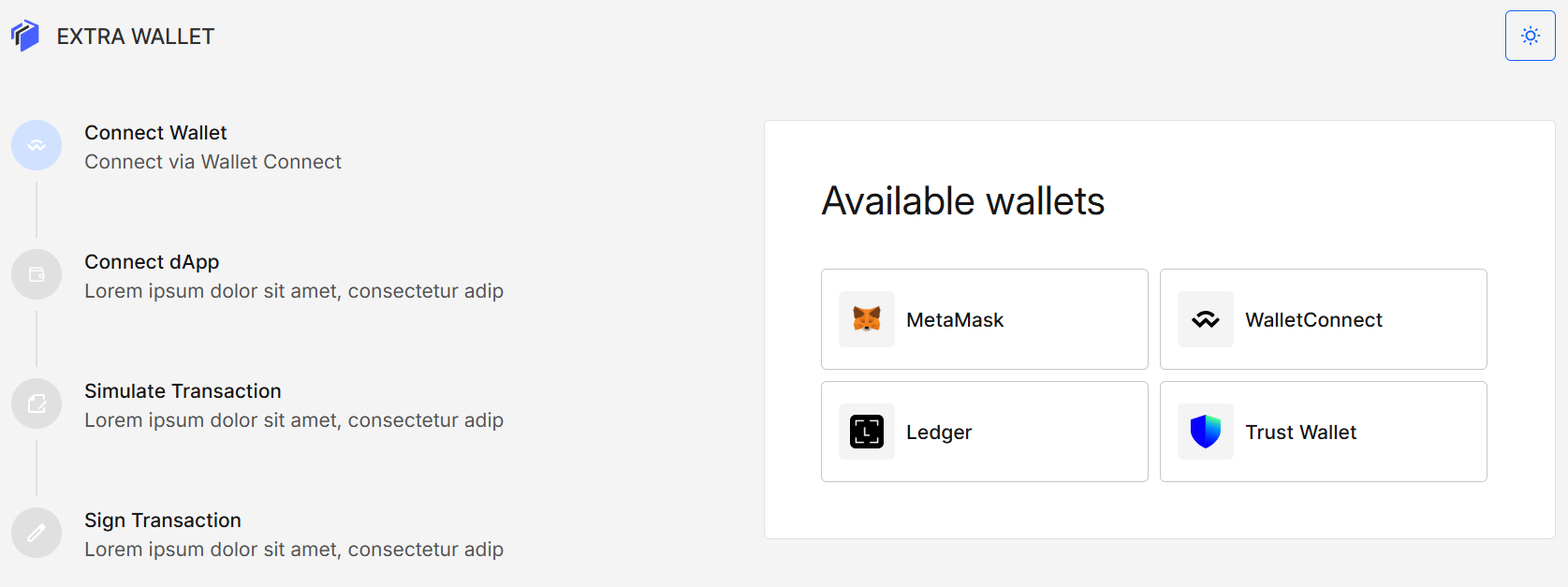
Open the app and pick your wallet from Available wallets.
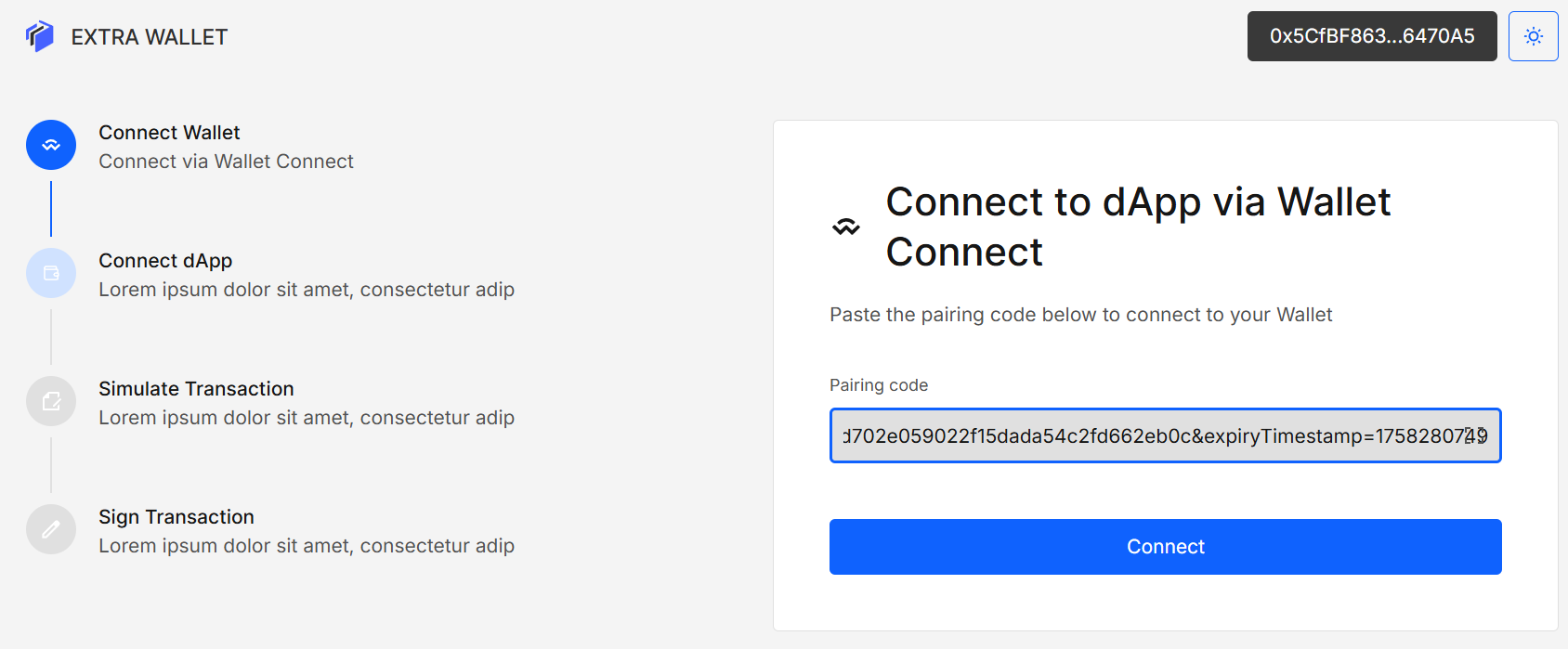
2. Pair a dApp (WalletConnect)
On the dApp:
- Click Connect Wallet
- In the opened modal look for WalletConnect option and click it
- In the next modal copy the link or keep the QR visible
3.Review and Approve the Session
Confirm the dApp’s name, description and check the website by the link in the approval modal. Click Approve to establish the session. You can Disconnect later with one click.
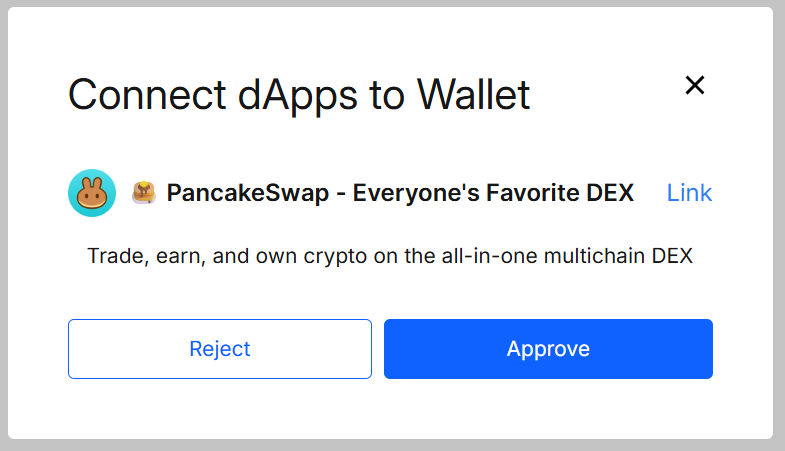
After approval, trigger the action from the dApp (e.g., swap, approve, transfer). The request will appear here.
4. Simulate the Transaction
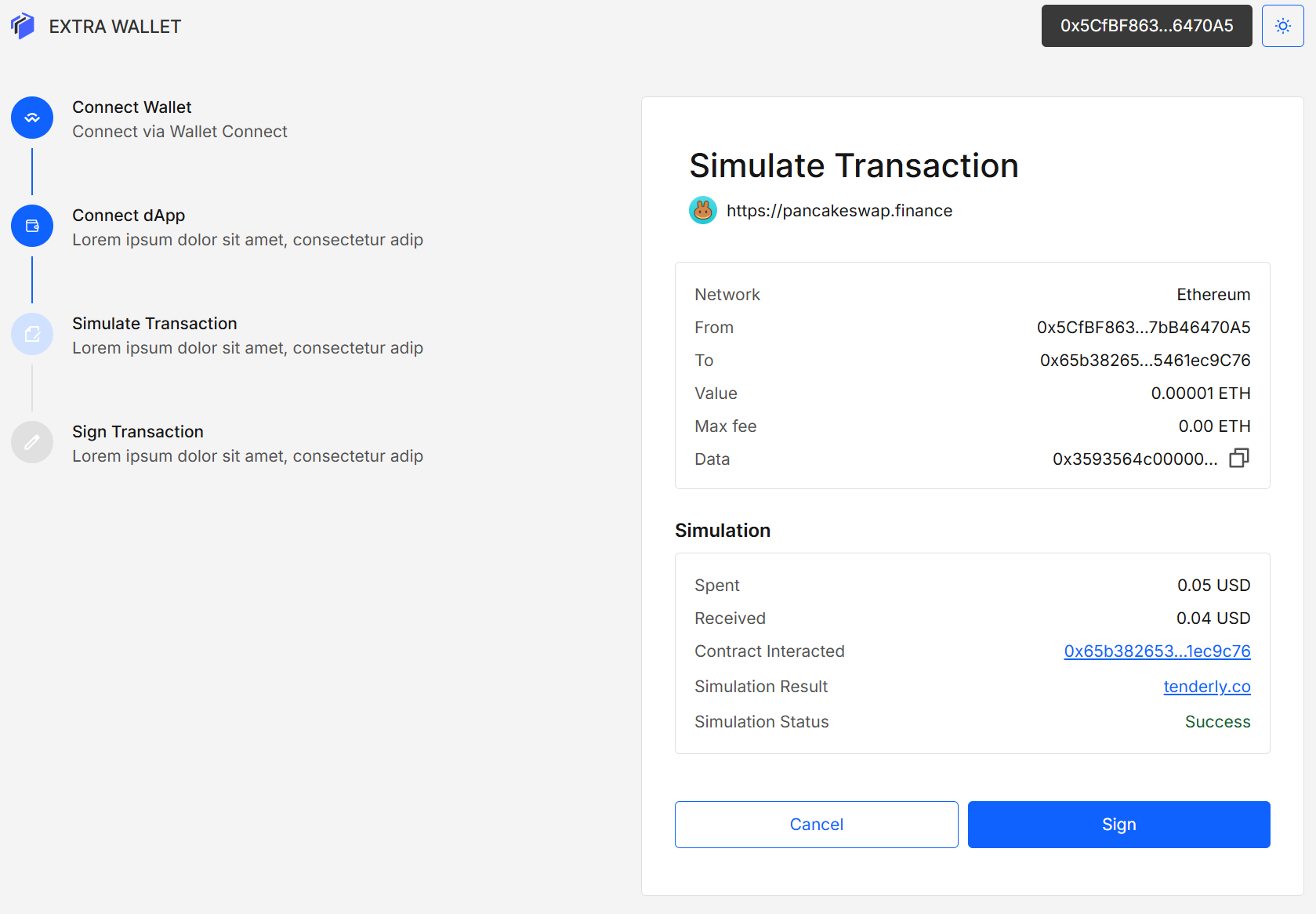
When a request arrives, the app simulates it automatically. You’ll see the details (Network, From/To, Value, Max fee, Data) and a Simulation section:
- Spent / Received (USD estimates when available)
- Contract interacted (linked address)
- Simulation result → Tenderly link
- Simulation status (Success / Failed)
5. Decide: Sign or Stop
- Sign — We forward the request to your connected wallet (MetaMask/Ledger/etc.); confirm there to broadcast.
- Cancel — Reject safely; nothing is signed or sent.
A final status is shown after signing (or rejection).
Results Explained
- Success — The simulation indicates the call should succeed under current conditions.
- Failed — Likely revert or unsafe call detected; review the Tenderly page for details.
- Spent/Received — Estimated asset changes.
- Contract interacted — The primary target contract of the call.
Validation and Tips
- Approvals: Be extra careful with unlimited token approvals; read the To and Data fields.
- Re-simulate after changes: Price/nonce/state can change.
Security and Privacy
- We never ask for or store your seed phrase or private keys. WalletConnect/injected wallets (e.g., MetaMask, Ledger, Trust Wallet) do not share private keys with apps; they only return signatures/transaction hashes for requests you explicitly approve.
- Simulation is EVM-only and powered by Tenderly. We send public transaction fields (from, to, data, value, gas params) for the preview.
- Session data is stored locally; you can remove it anytime.
- A successful simulation is not a guarantee of on-chain success. Mempool conditions and contract state may change.
- Some complex meta-transaction or MEV-sensitive flows may simulate differently than the eventual on-chain execution.
FAQ
Why did the real transaction differ from the simulation? Chain state, prices, nonces, and mempool can change between simulation and broadcast. Re-simulate right before signing.
Can I use this with any dApp? Any dApp that supports WalletConnect should work. Some proprietary or non-standard flows may be limited.
Does this block scams automatically? No — this tool provides visibility. Use the simulation and Tenderly trace to make an informed decision, then Cancel if anything looks suspicious.
Developer Info
- Built and maintained by the Extra Wallet team.
- Source: Scam Transaction Tracker